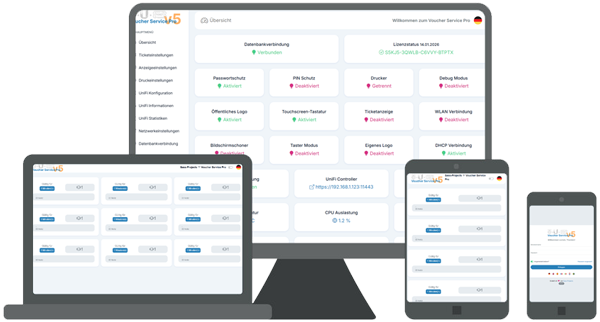
| Raspberry Pi: All based on a small & cheap hardware |
| Fully responsive design: Choose your own monitor resolution |
| Auto installscript: No linux knowledge necessary |
| Multiple settings: Up to nine pre-defined tickets |
| Corporate identity: Easy colour & font customize |
| Touch-screen optimized: Integrated numpad and keyboard |
| Different front-pages: Individually or pre-defined tickets |
| Multi-language: Translated in DE, EN, NL, FR, ES, IT, SE, TR |
Here it is, the completely redeveloped Voucher Service Pro for UniFi. This version is no longer based on any previous releases but was designed from the ground up and fully rewritten from scratch. All former features were intentionally removed and replaced with modern, more powerful solutions. The entire system now relies exclusively on direct UniFi API access, without any third-party dependencies, ensuring maximum performance, stability, and long-term reliability.
All features listed below represent only a small excerpt from eleven pages of extensive, newly designed configuration options for your professional ticketing system. Customize your landing page freely, choose between a public logo or a simple slogan, protect access with a PIN, or adjust the entire visual style to your needs. Every option has been rethought and seamlessly integrated into the new system.
Ticket functionality has also been completely reworked. If your guest network is password-protected, a QR code can be automatically generated and printed on the ticket, allowing end users to connect to the network instantly after scanning. And this is just the beginning, the new system offers much more.
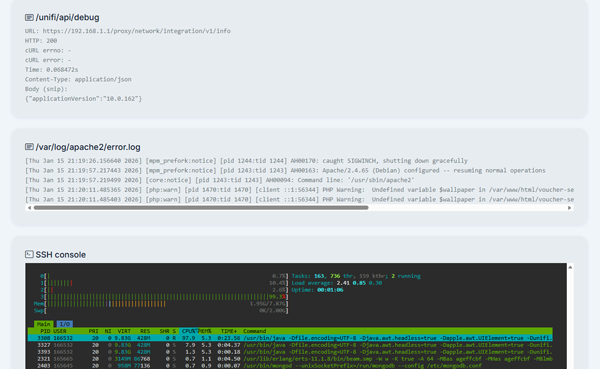
New with version 5.0
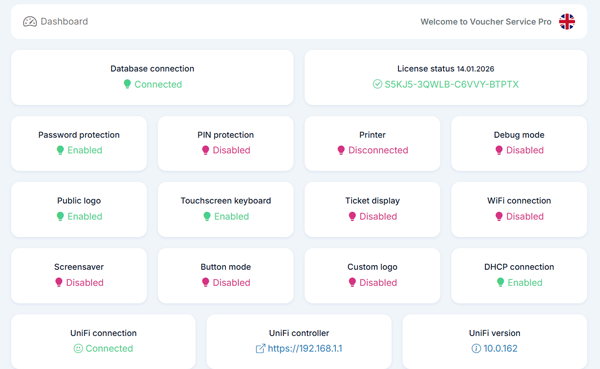
The page provides a centralized dashboard with real-time status for database, license, network, and hardware. It features a multilingual interface, user and security options such as password and PIN protection, and an optional debug mode. Integrated printer and ticket control, custom logos, touch keyboard, WLAN and DHCP management are included, along with system monitoring, UniFi integration, and advanced diagnostic tools.
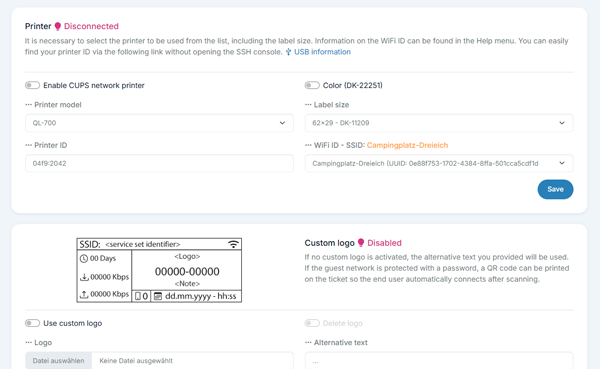
Print settings provide a central place to manage ticket output and printers. Enable a button mode with GPIO pin selection and assigned Wi-Fi ticket. Choose output as print only, display only, or both. Configure printers with optional CUPS support, color printing, model and label size selection, plus ID/IP and Wi-Fi/SSID mapping. Add a custom PNG logo with preview and optional text.
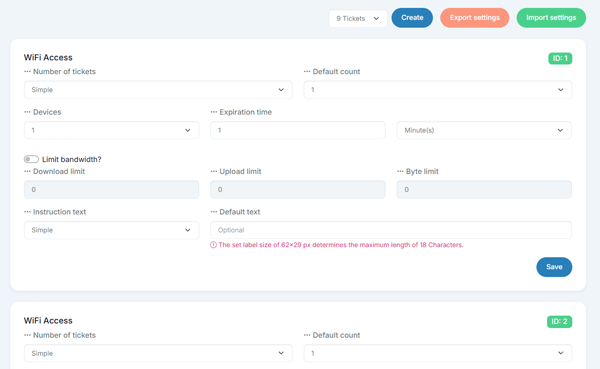
Ticket management lets you create up to 9 voucher profiles, including SQL backup and restore. For each ticket you can set the issuance mode (simple/custom), default quantity, allowed devices, validity period (minutes to months), and optional bandwidth/data caps (download, upload, MB). You can also define a default note per ticket, aligned with the selected label size.
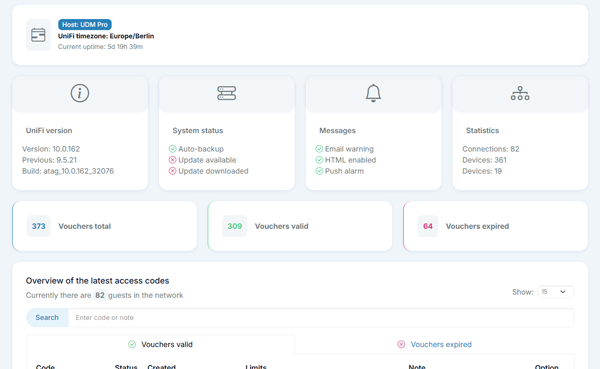
The UniFi info module displays controller connectivity and key system details like host name, timezone, and uptime. It shows version/build info, update and auto-backup status, and notification settings (email/HTML/push). Live stats for connections, clients, and devices are included. Vouchers are separated into valid/expired lists with search and paging limits, PDF export, and both single and bulk delete actions.
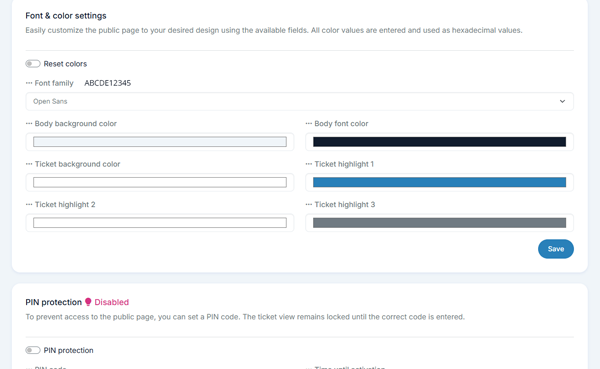
Display settings control the public screen including a logo and optional touch keyboard. Choose between a simple or custom layout and whether public content can be changed. Set a custom title and slogan and upload a PNG logo. Style options include font family and colors for background, text, and ticket highlights (with reset). Add PIN protection with code and delay, plus a configurable screensaver with text, colors, timeout, and a wallpaper image.
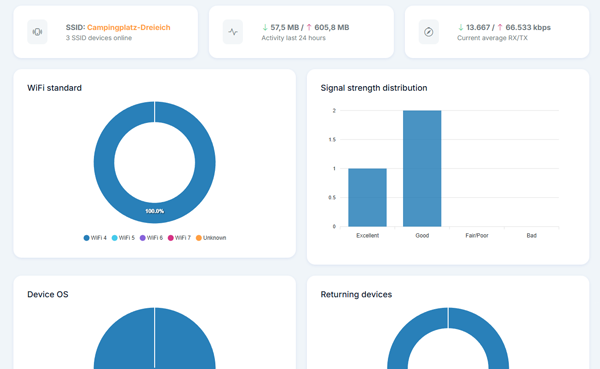
The statistics module provides UniFi insights per SSID: currently connected devices, last-24-hour traffic (download/upload), and the current average RX/TX rate. Optional charts visualize key breakdowns such as Wi-Fi standard distribution (WiFi 4-7), signal strength categories, device operating systems, and the share of new vs returning clients. If live client data is unavailable, a clear warning message is shown.
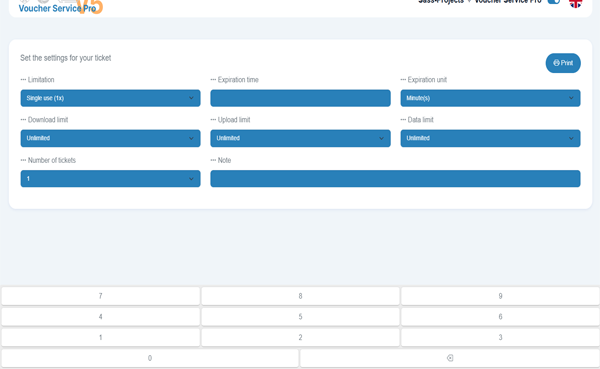
The frontend can be operated entirely without a physical keyboard. All inputs and selections are handled via integrated virtual on-screen keyboards, making the interface ideal for touch displays, kiosk systems, and unattended operation.
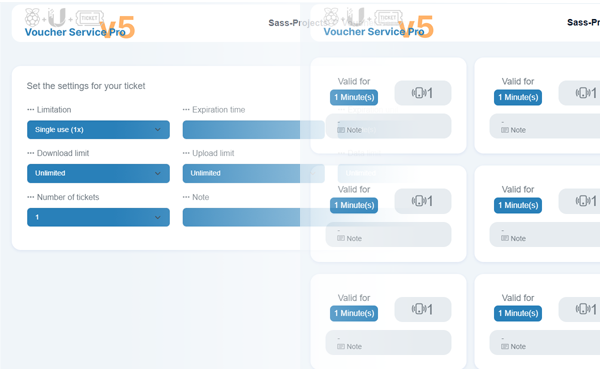
The frontend is a responsive voucher issuing page with language switching, optional public logo, and editable title/slogan. Fonts and colors are centrally configurable. Two modes are available: a card layout with up to 9 voucher profiles or a custom form for creating vouchers (duration, device quota, quantity, note, bandwidth/data limits). Optional ticket preview (display/print), timed PIN lock, touch keyboard, and a screensaver with clock/date are included.
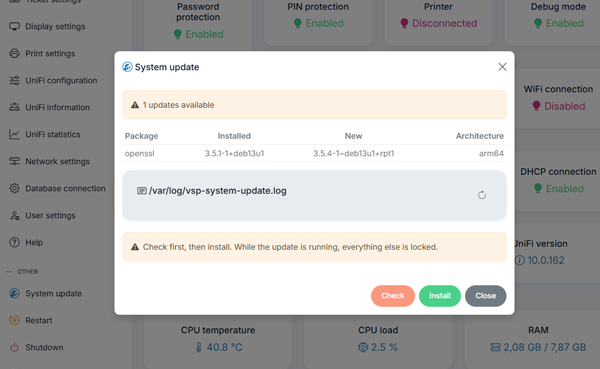
The integrated update feature securely checks the system for available package updates, displays them clearly in a table, and notifies if a reboot is required. Updates can be started in a controlled way, while a locking mechanism prevents parallel runs. Progress and logs are available at any time.
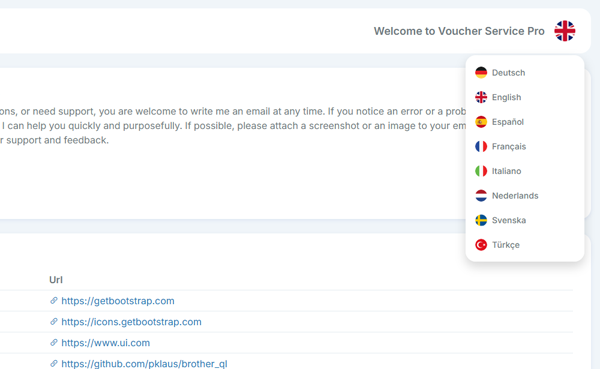
Every single page, front- and backend is already translated and available in eight different languages. And that's not all, you are able to easily change every single phrase through the phrase file admin panel if something isn't translated as you want. Available languages in the current version:
 German
 English
 Dutch
Dutch French
 Spanish
 Italian
 Swedish
 Turkish
After your purchase is successful and completed, you'll get your single-user/install licence key, your download package and detailed instructions.